Calendar sync [video]
Bookedin calendar sync is perfect for people with busy schedules. It lets your clients book appointments online based on your real-time availability.
Works with Google, Office365, Outlook.com, iCloud (Mac, iPad, iPhone) or Exchange calendars. Video and step-by-step instructions below:
- Log in to your Bookedin business account here (note: initial sync must be performed via website, not the mobile app)
- Go to Settings > Calendar Sync (top menu)
- Click the Add New Calendar Sync button
- Now choose your preferred calendar
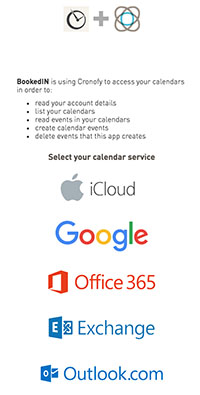
- Sign in to your personal calendar and grant permission to Bookedin. Then you'll get redirected back to Bookedin upon successful connection
-
Choose Bookedin calendar: If you have more than one calendar in your Bookedin account, choose which one you'd like to sync.
-
Choose Personal calendar: If your personal calendar has more than one calendar, (ex. Home, Work, Meetings, Family) choose which one you'd like to sync. (Note: If you need to sync all of them, simply perform multiple calendar syncs. Ex. If your iCal has 4 total calendars you will repeat the sync process 4x.)
- Choose a sync direction (2-way or 1-way)
- Click Start Sync
- Wait a few moments, then boom! All of your Bookedin appointments will appear in your personal calendar and vice versa. (samples below)
- Repeat for any other personal calenders. Bookedin lets you set up unlimited calendar syncs!
Going forward:
- Both calendars get updated in real-time
- Clients cannot see your synced appointments.
- Events you create on your 3rd party synced calendar will block the available hours on your Bookedin online booking page.
- Your Bookedin calendar will sync appointments 1-month back and 2-years forward.
Need help? Check out:
Comments